
Download GSpace – Free Gmail‑Based Online Storage Tool
Overview
GSpace is a lightweight Firefox add‑on that transforms any Gmail account into a modest but functional cloud storage space. Unlike traditional file‑sharing services that require separate accounts or subscription fees, GSpace leverages the generous 15 GB (or more, if you have Google One) allocation already attached to your Google account. Once installed, the extension adds a small icon to the browser’s toolbar, allowing you to upload, download, and organize files directly from within Firefox.
The tool is designed for users who need a quick way to move documents between computers, keep a backup of important files, or store reference material that they want to access from any device with internet connectivity. While GSpace is not built for transferring massive media libraries or high‑definition videos, its simplicity makes it an attractive option for students, freelancers, and anyone who already lives in the Google ecosystem. The extension supports multiple Gmail accounts simultaneously, meaning you can segregate personal, work, or project files without juggling separate cloud services.
Though transfer speeds are limited by Gmail’s attachment handling and the extension’s internal buffering, most everyday documents (PDFs, DOCX, spreadsheets, small images) move quickly enough for practical use. Security is handled by Google’s own authentication and HTTPS connections, so you never expose your files to third‑party servers. GSpace also runs quietly in the background, ready to sync changes whenever you open the manager, making it a “set‑and‑forget” solution for low‑maintenance backups.
Key Features
- Free storage via Gmail: Utilises the existing storage quota of any linked Google account at no extra cost.
- Multiple account support: Manage several Gmail addresses from a single Firefox toolbar.
- Simple drag‑and‑drop interface: Upload files by dragging them into the GSpace manager or using the “Add Files” button.
- Folder‑like organization: Create virtual folders within the extension to keep documents tidy.
- Background syncing: The add‑on can stay active in the background, automatically updating file lists when changes occur.
- Secure HTTPS connection: All data is transferred over Google’s encrypted channels, protecting privacy.
- Cross‑device accessibility: Files stored through GSpace can be accessed from any browser or device logged into the same Gmail account.
- Low‑resource footprint: The extension adds only a few megabytes to Firefox’s memory usage, leaving the rest of your system free for other tasks.
- Automatic Gmail compatibility updates: Recent patches ensure GSpace works with Gmail’s HTTPS‑only mode and recent UI changes.
- Open‑source friendly: Although distributed as a compiled add‑on, the developer provides a public repository for community contributions.
Each of these features is geared toward users who want a hassle‑free, cost‑free storage option that integrates tightly with the tools they already use. The ability to handle several Gmail accounts eliminates the need for separate cloud subscriptions, while the drag‑and‑drop workflow mirrors the experience of desktop file managers, reducing the learning curve. Security is never an afterthought; because GSpace never stores files on external servers, the only place your data lives is within Google’s protected infrastructure. This design philosophy makes GSpace an ideal companion for anyone who values simplicity, privacy, and budget‑friendly cloud storage.
Installation & Usage Guide
Getting started with GSpace is straightforward, even for users who are new to Firefox extensions. Follow these steps to install and begin using the tool:
- Open Firefox and navigate to the official GSpace add‑on page.
- Click the “Add to Firefox” button and confirm any permission prompts. The extension will download and automatically install.
- After installation, you’ll see a small GSpace icon in the lower‑right corner of the browser window. Click it to launch the initial configuration wizard.
- Sign in with the Gmail account you wish to use for storage. If you have multiple accounts, you can repeat this step later from the GSpace manager.
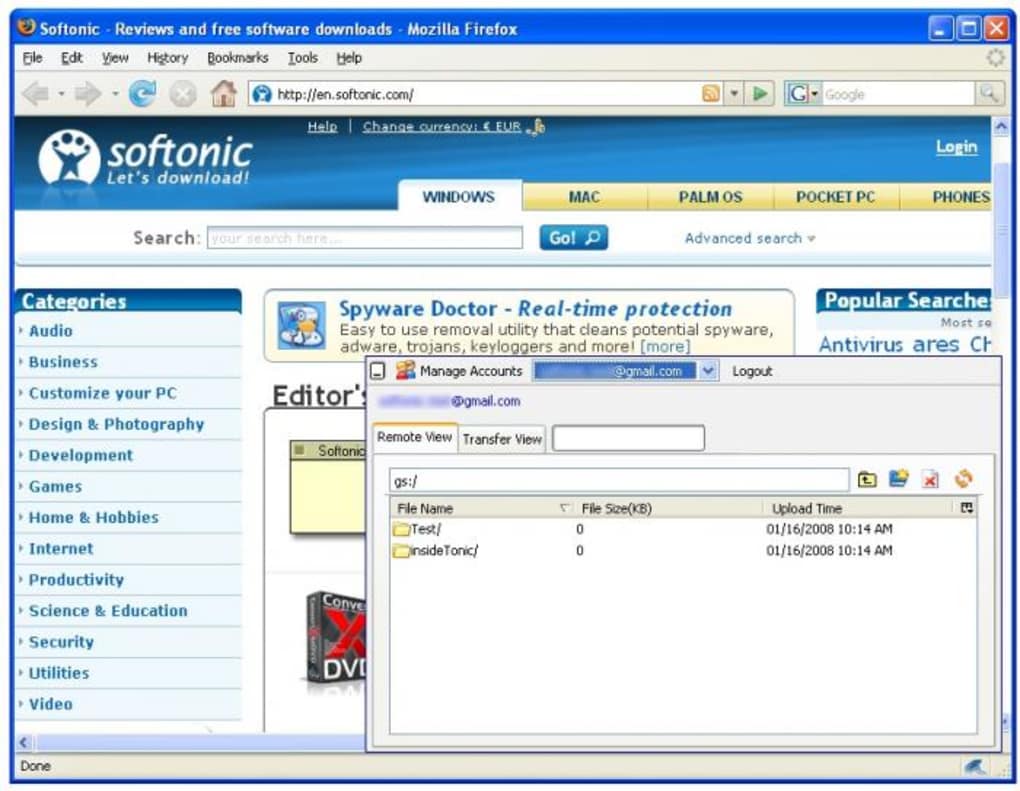
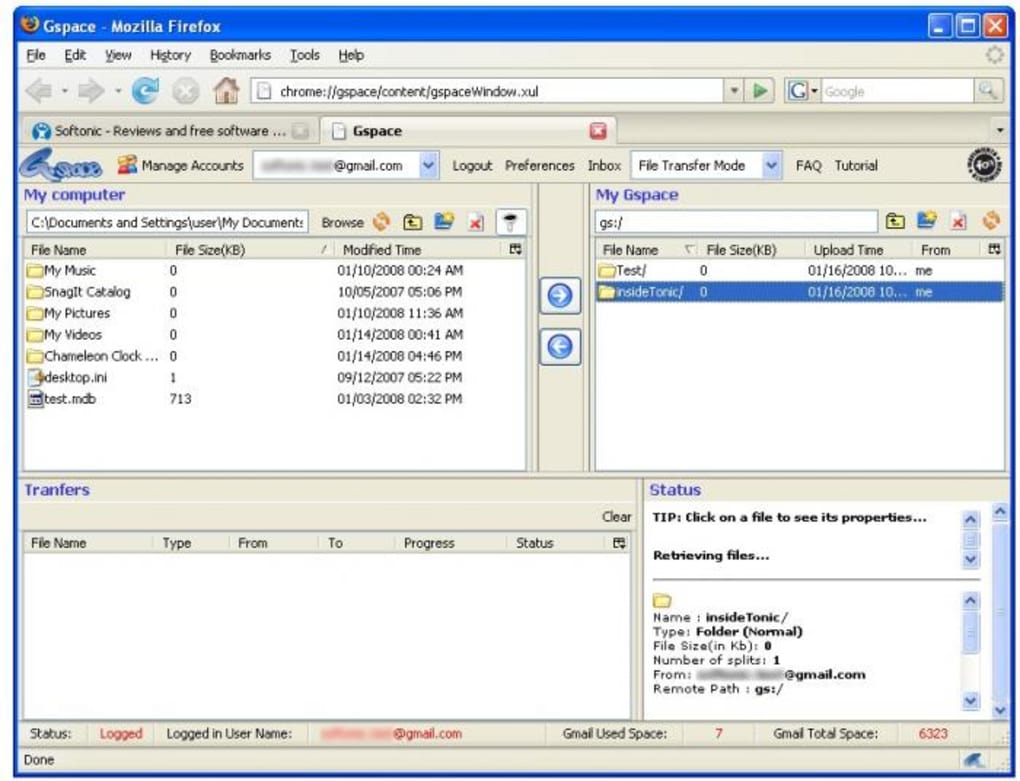
- Once authenticated, go to Tools → GSpace Manager to open the file management interface. Here you can create folders, upload files, and view existing items stored in your Gmail account.
- To upload a document, drag it onto the manager window or click “Add Files” and select from your local drive. The file will be attached to a hidden email in your “All Mail” folder, where GSpace keeps track of the storage structure.
- Downloading works the same way: select a file and click “Download” to save it locally. GSpace will automatically unzip the attachment if it was compressed during upload.
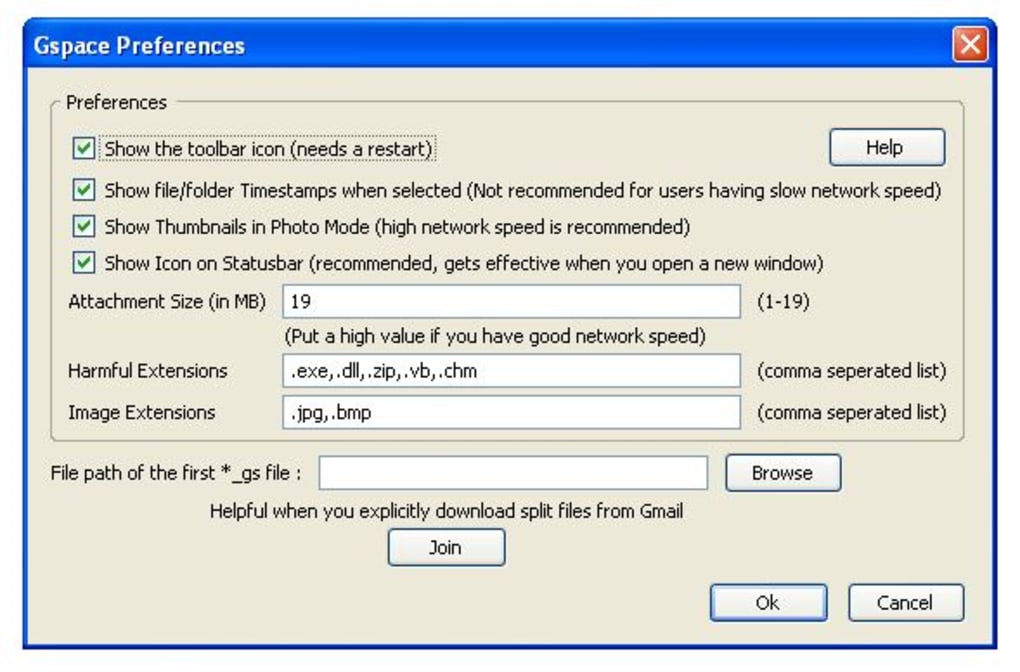
- For regular backups, you can enable the “Auto‑sync” option in the settings panel. This keeps the file list refreshed every few minutes, ensuring you always see the latest version of your documents.
Tips for optimal performance: Because GSpace relies on Gmail’s attachment limits (25 MB per file), consider compressing large PDFs or splitting big datasets into smaller chunks before uploading. Additionally, avoid using the extension as a primary repository for high‑resolution media; for those scenarios, a dedicated cloud service is more appropriate. Finally, remember that GSpace does not replace Google Drive’s collaboration features—if you need real‑time editing or sharing, continue using Drive alongside GSpace for pure backup purposes.
Compatibility, Pros & Cons, and Frequently Asked Questions
Operating System Support: Windows 10/11, macOS 10.15 or later, Linux (any distribution that runs Firefox), Android (Firefox for Android), iOS (Firefox for iOS). As a browser‑based extension, GSpace works wherever Firefox is available, making it a cross‑platform solution without the need for separate installers.
Pros
- Completely free – uses existing Gmail storage.
- No separate cloud account required.
- Supports multiple Gmail accounts simultaneously.
- Runs in the background, keeping files synced automatically.
- Secure HTTPS transmission and Google’s own authentication.
Cons
- File size limited to Gmail’s 25 MB attachment ceiling.
- Transfer speeds depend on Gmail’s upload bandwidth and can be slower than dedicated services.
- Lacks advanced sharing and collaboration features.
- Interface is basic; no built‑in file preview for all formats.
- Relies on Firefox; not available for Chrome or Edge.
FAQ
Is GSpace really free, or are there hidden costs?
GSpace itself is free to download and use. It only consumes the storage quota already allocated to your Gmail account, so there are no extra fees unless you exceed Google’s free 15 GB limit, in which case you would need to upgrade your Google One plan.
Can I share files stored with GSpace with other people?
GSpace does not provide a built‑in sharing link. To share a file, you must download it and then attach it to a regular Gmail message or use Google Drive’s sharing features.
What happens if I uninstall the extension?
Uninstalling GSpace only removes the browser add‑on. All files remain safely stored in your Gmail account as hidden email attachments, so you can reinstall the extension later and retrieve them.
Is there a limit to the number of Gmail accounts I can connect?
There is no hard‑coded limit; you can add as many Gmail accounts as you like. Performance may degrade if you manage dozens of accounts simultaneously, but for typical personal or professional use, a handful works flawlessly.
Does GSpace work on mobile browsers?
Yes, as long as you use Firefox for Android or iOS. The mobile version offers the same core functionality, although the UI is simplified to accommodate smaller screens.
Overall Rating: 4.2/5
TechGuru Reviews
GSpace delivers a clever workaround for anyone who needs free cloud storage without leaving the Gmail environment. Its simplicity and zero‑cost model are its strongest assets, while the lack of large‑file support keeps it from competing with heavyweight services like Dropbox or Google Drive. For document‑centric workflows, it’s a handy sidekick that runs quietly in the background.
Conclusion & Call to Action
In a landscape crowded with subscription‑based cloud platforms, GSpace stands out as a practical, no‑cost alternative that taps directly into the storage you already pay for with Google. Its Firefox‑only implementation may feel limiting to Chrome enthusiasts, yet the extension’s lightweight design, multi‑account capability, and secure HTTPS handling make it a valuable tool for students, remote workers, and anyone who regularly shuffles documents between devices. While you won’t replace a full‑featured drive service with GSpace, you’ll gain a reliable backup pocket for PDFs, spreadsheets, presentations, and small media files—all accessible with a single click.
Ready to give your Gmail inbox a second purpose? Download GSpace today, configure your accounts, and start storing files without spending a dime. Keep your important documents at hand, enjoy automatic background syncing, and benefit from Google’s trusted security infrastructure. If you need a simple, free solution for everyday file storage, GSpace is the answer you’ve been looking for.







